


OpenAI, back in October 2023, rolled out the ability to upload a variety of different files.
That said, the functionality is not available to users of the free version of ChatGPT.
Access to file uploading requires a ChatGPT Plus subscription.
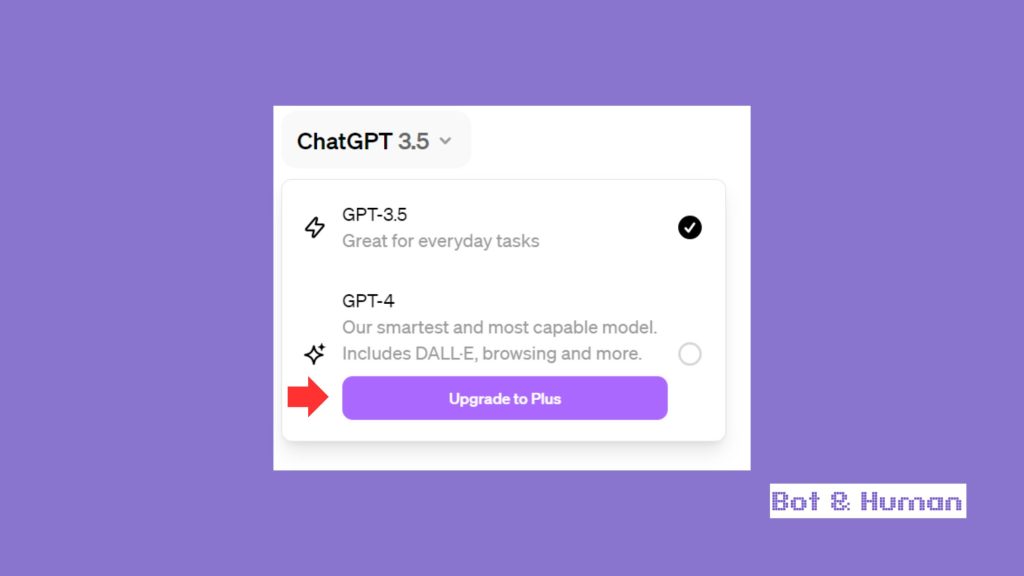
So, before you follow along, please upgrade your ChatGPT instance to Plus, which also gives you access to the more powerful 4.0 model, image generation with DALL-E, and more.
Additionally, uploading documents does not require any additional plugin (previously, installing ChatGPT plugins was necessary, but that is no longer the case).
How To Upload Files To ChatGPT
Previously, Plus users had to enable Data Analysis Mode in order to check files. Many articles you’ll find still contain that outdated information, so please don’t get confused!
Now, it’s substantially easier to upload files. First, upload the file, either by dragging it into the chat window or (as shown below) or clicking on the clip.

Give ChatGPT a second to upload the file. Next, specify what you want ChatGPT to do with the dataset. Be as concise and clear as possible.
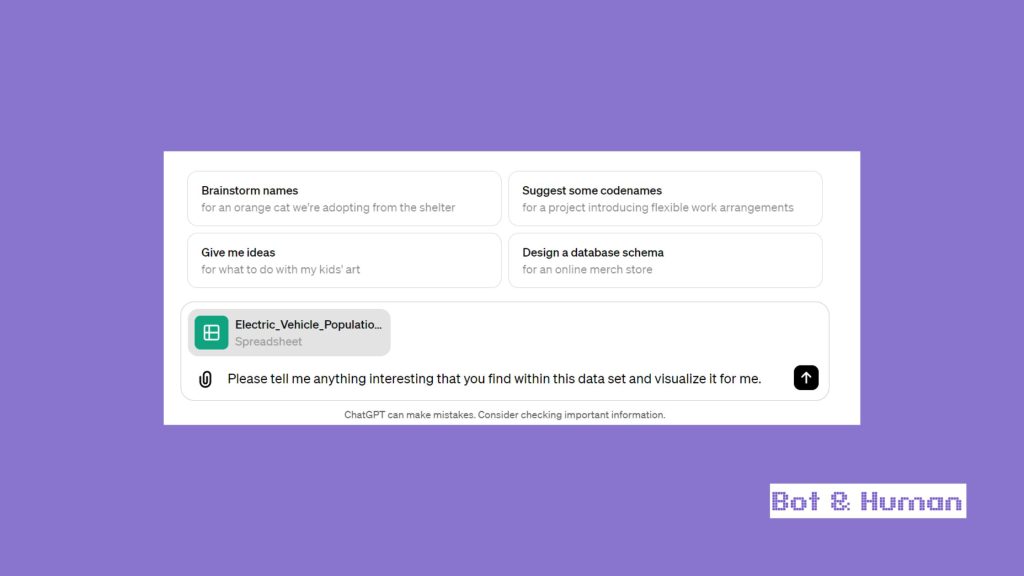
It can take up to a minute for ChatGPT to do its magic, so just be patient.
Keep in mind that ChatGPT, as it’s utilizing different capabilities, will fulfill the task in steps. For example, if you asked it to also visualize data, then this will be done within the second answer.
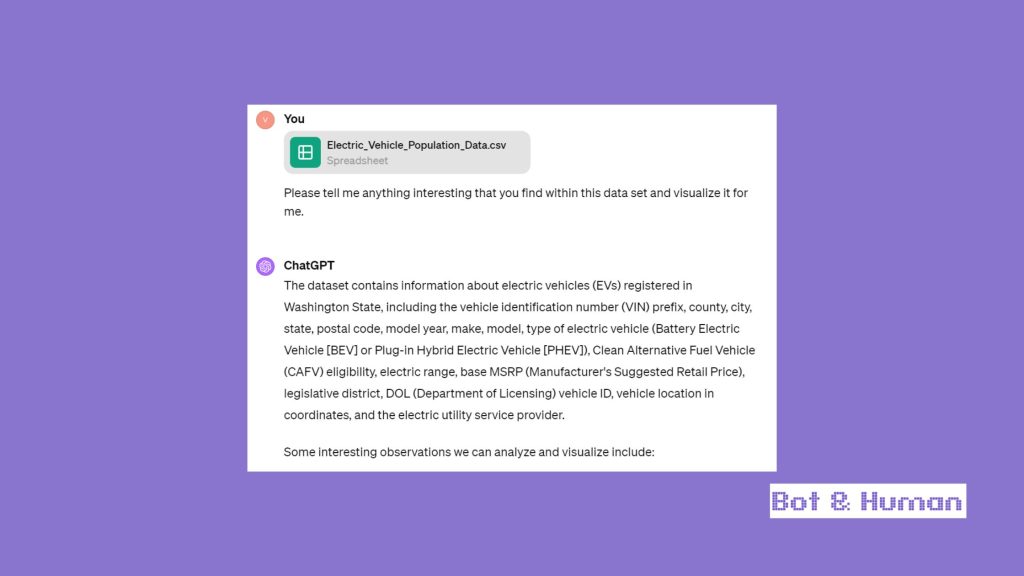
From there, continue to communicate with the chat interface to get all the answers you need (but keep usage limits in mind).
Supported File Types
ChatGPT support a broad range of file types, catering to most needs you might encounter. This includes all common file extensions for text files, spreadsheets, presentations, and documents.
Whether you’re working with a Word document, an Excel spreadsheet, or a PowerPoint presentation, ChatGPT Plus got you covered.
File Upload Limitations
For each instance of ChatGPT, you can upload up to 20 files during its session time.
However, it’s important to be aware of the size restrictions and usage caps. Each file you upload to ChatGPT has a maximum size limit of 512MB.
For text and document files, there’s a cap of 2 million tokens per file, which doesn’t apply to spreadsheets.
Image files have a slightly different limitation, with a maximum of 20MB per image. Moreover, individual users have a total usage cap of 10GB, while organizations are capped at 100GB. Exceeding these limits will result in an error message.
Deleting Uploaded Files
If you’re reaching your file usage cap or simply need to manage your data, files uploaded for Advanced Data Analysis are automatically deleted within 3 hours.
Additionally, you have the option to manually delete files from recent chats or any GPT instances you’ve created, as they share the same usage caps.
Data Retention Policies
Chat history is saved indefinitely, provided that the Data Controls for Chat History setting is turned on.
If a chat is deleted, it will be removed from the user interface, but OpenAI retains all conversations for 30 days before permanently deleting them.
Files processed via Advanced Data Analysis or Document Analysis, and images processed via Vision or uploaded as knowledge to custom GPT configurations, have specific retention policies.
Files are kept for 3 hours, while images uploaded as knowledge are retained indefinitely.
Embedded Images in Documents
Currently, ChatGPT and OpenAI do not support images embedded within documents or presentations. However, plans are in place to add support for this feature in the future, expanding the versatility of file handling.
Use of Uploaded Files for Model Training
The use of uploaded files for model training varies depending on the service.
Content submitted to ChatGPT, DALL·E, and other services might be used to enhance model performance.
Worth a read: all available ChatGPT shortcuts
This includes files that are uploaded. For detailed information on how your content may be used and the choices available to you, it’s advisable to refer to the specific articles provided by OpenAI.
It’s also important to note that content submitted through business offerings, such as the OpenAI API and ChatGPT Enterprise, is not used to improve model performance.
For businesses, OpenAI’s Enterprise Privacy page offers comprehensive details on data usage policies.